
Use XMLMind to edit xdocs
Editing xdocs by hand is a painful experience. You can use the XMLMind XML editor to edit xdocs visually by installing the xdocs configuration.
- Install XMLMind from XMLMind Editor page. It is written in Java and runs on all major OS brands.
- Download the attached xmlmind-xdoc.zip. Unpack it into the XMLMind Editor user add-on directory. The preferences directory is
- $HOME/.xxe/addon/ on Unix,
- %SystemDrive%\Documents and Settings%USERNAME%\Application Data\XMLmind\XMLeditor\addon\ on Windows 2000/XP,
- %SystemDrive%\winnt\Profiles%USERNAME%\Application Data\XMLmind\XMLeditor\addon\ on Windows NT.
- Restart the Editor. Select File -> New. It should offer you "XDOC / Empty Doc". If yes, congratulations. It works.
To be able to automatically select XDOC for xdocs, add the following (preliminary!) DOCTYPE to your xdoc files:
<!DOCTYPE document PUBLIC "-//Apache Software Foundation//DTD XDOC 1.0//EN"
                          "http://www.apache.org/dtds/xdoc_1_0.dtd">
The xdoc add-on also recognizes the maven xdocs identifier
<!DOCTYPE document PUBLIC "-//APACHE//DTD Documentation Maven//EN">
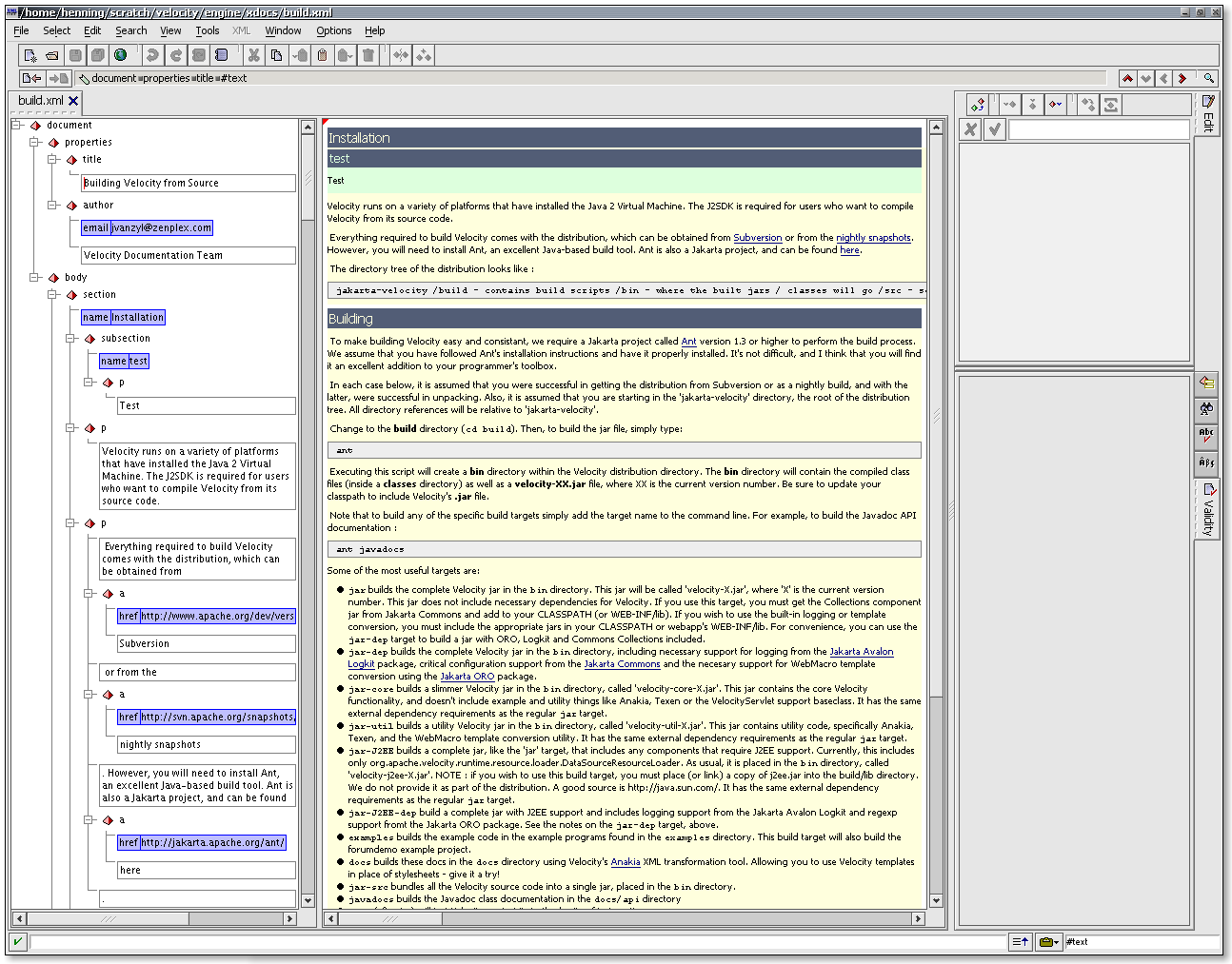
Enjoy. This is how it should look like: Editing_XDOC_with_XMLMind.png
Wanted List
- It should be possible to set this add-on for automatic installation using the add-on Manager in XMLMind.
- It shouldn't be too hard to create a DTD from the XSD for the navigation.xml page and also add a CSS file for this.
- However, the "Standard" Edition of the XMLMind editor restricts the XSD usage to just a few schemas. So it would be necessary to convert the navigation.xsd from the maven-xdoc plugin into a DTD first.
- However, the "Standard" Edition of the XMLMind editor restricts the XSD usage to just a few schemas. So it would be necessary to convert the navigation.xsd from the maven-xdoc plugin into a DTD first.
<<AttachList>>